Blazing Fast
Optimized for speed with zero bloat, ensuring your site runs at top speed.

[ SEO and performance ]
Streamline Your Media Library, Boost Performance
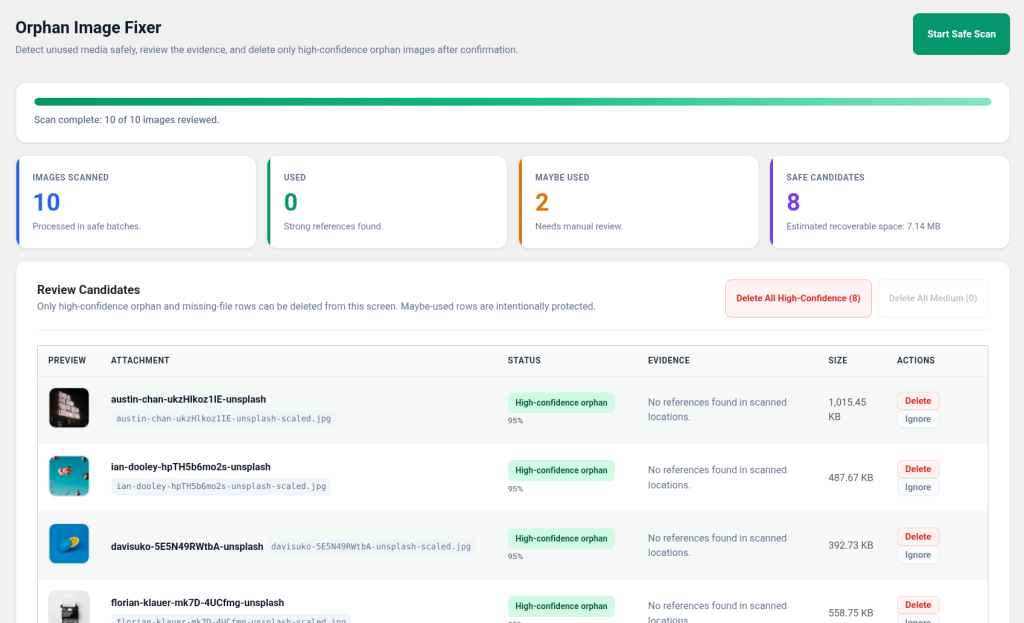
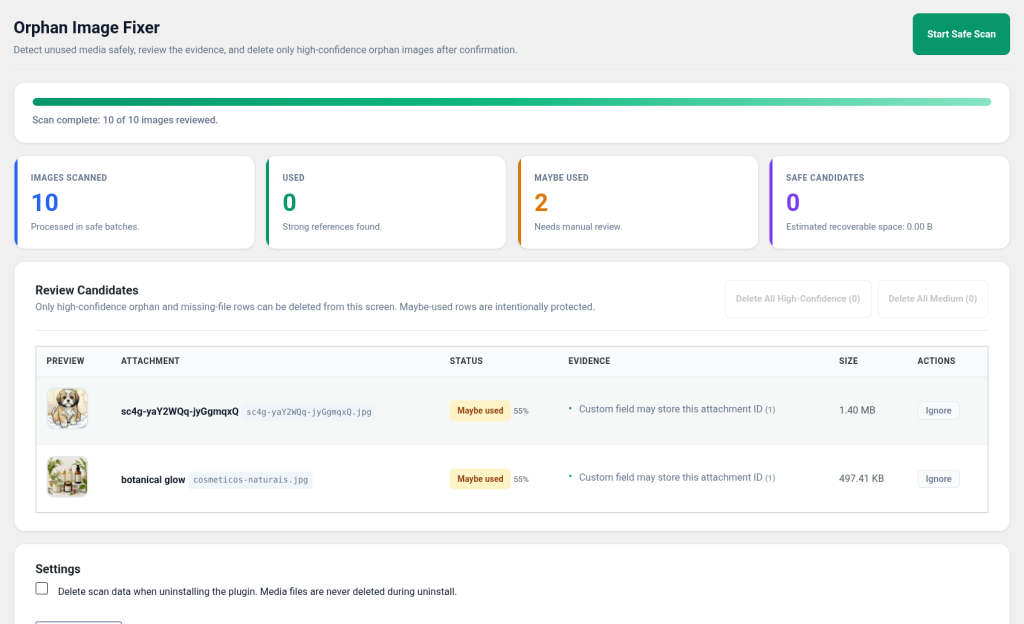
Struggling with a cluttered media library that slows down your WordPress site? [B] Orphan Image Fixer is designed to tackle the hidden chaos of unused media files clogging your server. By not addressing these orphaned images, you’re wasting valuable storage space and potentially impacting your site’s performance.
This plugin offers a seamless and secure solution to identifying and managing unused media files. Unlike other tools, it provides a comprehensive review process that ensures no active content is mistakenly removed. Experience a faster, more efficient site with just a few clicks.
[B] Orphan Image Fixer is perfect for bloggers, e-commerce store owners, and developers who need to maintain optimal site performance. Whether you’re managing a single blog or multiple WooCommerce sites, this tool simplifies media management, saving you time and worry.
Compatible with major themes and builders, this plugin integrates smoothly into your existing workflow. Enjoy peace of mind with dedicated support and regular updates ensuring ongoing reliability and security.
Scale effortlessly with [B] Orphan Image Fixer. By reducing unnecessary server load, you not only improve site speed but also enhance user experience. Your audience will appreciate the faster loading times, and you’ll enjoy simplified site maintenance.
Don’t let orphaned files hold your site back. Act now to streamline operations, ensuring your WordPress media library is lean and efficient. With [B] Orphan Image Fixer, enjoy a cleaner, more organized digital presence.
Optimized for speed with zero bloat, ensuring your site runs at top speed.
Never worry about accidental deletions with our secure confirmation process.
Works flawlessly with popular themes and plugins for a hassle-free experience.
Improve your site's loading times and user satisfaction by decluttering your media library.
Designed to handle websites of any size, from small blogs to large e-commerce platforms.
Perfect for WooCommerce stores, keeping product images streamlined.
Ideal for bloggers seeking to maintain efficient media libraries.
Agencies can manage multiple client sites with ease.
Developers can ensure clean and optimized site setups.
Upload and activate via Plugins → Add New.
Navigate to Media → [B] Orphan Image Fixer and initiate a scan.
Carefully check the scan results for accuracy before proceeding.
Select the orphan files you wish to remove and confirm deletion.
Schedule regular scans to keep your media library optimized.
See how we compare to the competition
| Aspect | Orphan Image Fixer | Other solutions |
|---|---|---|
| Media Compatibility | Supports all media types | Limited to images |
| Deletion Safety | Multi-step verification | Single-step |
| Custom Field Detection | Comprehensive | Partial |
| Support | Email + Chat | Email only |
| Update Frequency | Frequent | Infrequent |
Yes, fully compatible with WordPress Multisite. Manage all your sites' media libraries from a single dashboard.
Once confirmed, deletions are permanent. Always review items carefully before removal and ensure backups are in place.
Frequency depends on your site's activity. Regular scanning is recommended for sites with frequent updates.
Yes, our support team is available via email and chat from 9-18h to assist with any issues you may encounter.
Yes, the plugin is designed to detect media usage across custom fields and various WordPress components.
No changes are made to your media library if you choose to uninstall the plugin. Your data remains safe.
Currently, we do not offer a trial version, but you can view a demo to understand its capabilities.
Updates are delivered via the WordPress dashboard, ensuring you always have the latest features and fixes.
[ Keep exploring ]
SEO and performance
Find broken URLs and recover 404 traffic with smart WordPress redirects
License From €29/year
SEO and performance
See exactly where your visitors click, scroll and stop — right inside WordPress.
License From €39/year
SEO and performance
Automatic WebP/AVIF with responsive delivery and LCP optimisation
License From €29/year