Migration with no downtime
Move your whole catalogue in minutes, not hours. Your live store does not need to close, and customers notice nothing.
[ WooCommerce ]
Migrate your WooCommerce catalogue with no duplicates or downtime
Works with WooCommerce
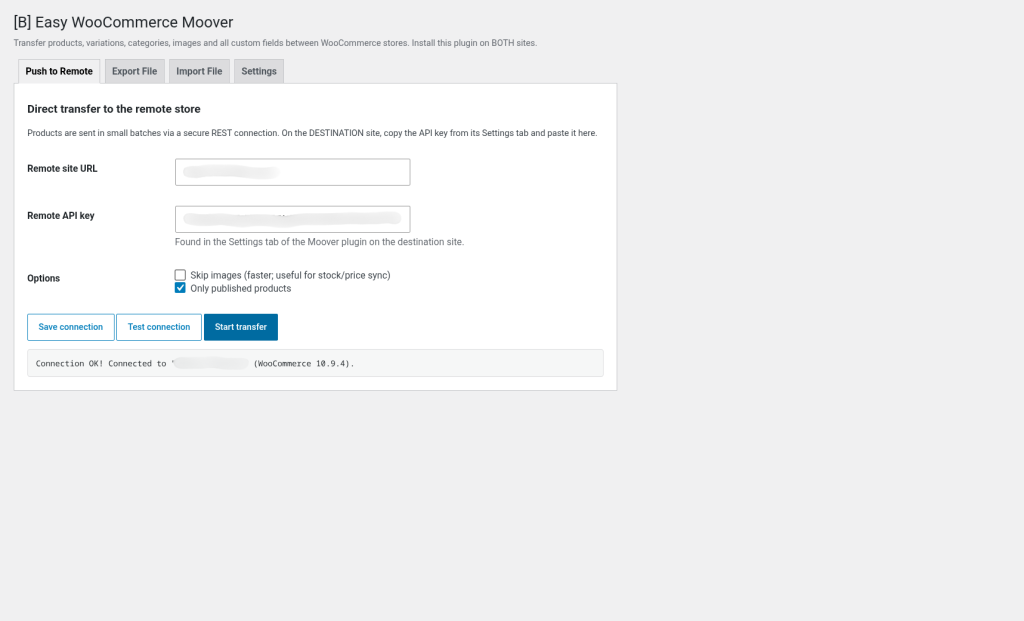
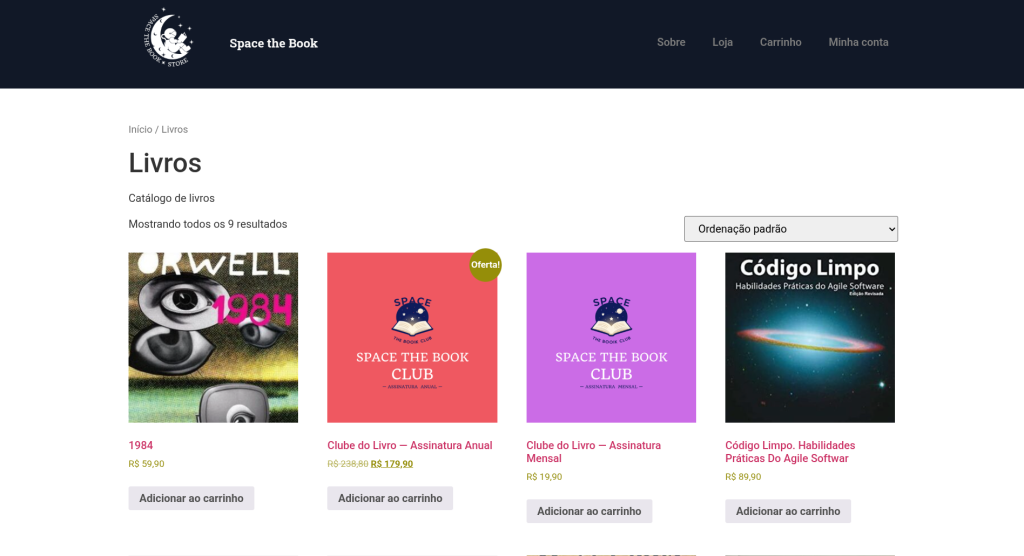
¿Cuál es el verdadero coste de una migración de productos mal hecha? Horas de trabajo manual, productos duplicados, imágenes perdidas, campos personalizados olvidados, y una tienda en vivo que debe cerrarse mientras luchas contra los tiempos de espera del servidor. No debería ser así.
[B] Easy WooCommerce Moover resuelve este problema de raíz. Traslada tu catálogo WooCommerce completo —productos simples, variables, agrupados, externos, todas las variaciones, categorías con jerarquía, etiquetas, atributos personalizados, imágenes, campos meta de otros plugins— de una tienda a otra de forma segura, rápida e idempotente. Elige entre dos métodos: conexión directa REST API (recomendado para tiendas públicas) o archivo portátil .bdwm (ideal para entornos locales o privados). Sin duplicados. Sin pérdida de datos. Sin sorpresas.
Perfecto para agencias que migran clientes a nuevas plataformas, para equipos que prueban cambios en staging antes de ir a producción, para tiendas que consolidan inventarios de múltiples ubicaciones, o para desarrolladores que necesitan sincronizar catálogos entre entornos de desarrollo, prueba y producción sin intervención manual. El plugin maneja variaciones complejas, jerarquías de términos profundas, atributos globales y personalizados, y preserva cada campo meta sin excepciones.
La seguridad está integrada desde el diseño. Cada solicitud se autentica con una clave API de comparación de tiempo constante. Las acciones de administrador están protegidas con nonces y comprobaciones de capacidad. El procesamiento por lotes evita agotamientos de PHP incluso con miles de productos. Los productos se emparejan por SKU (luego por slug) y se actualizan en su lugar —ejecutar una transferencia dos veces nunca crea duplicados.
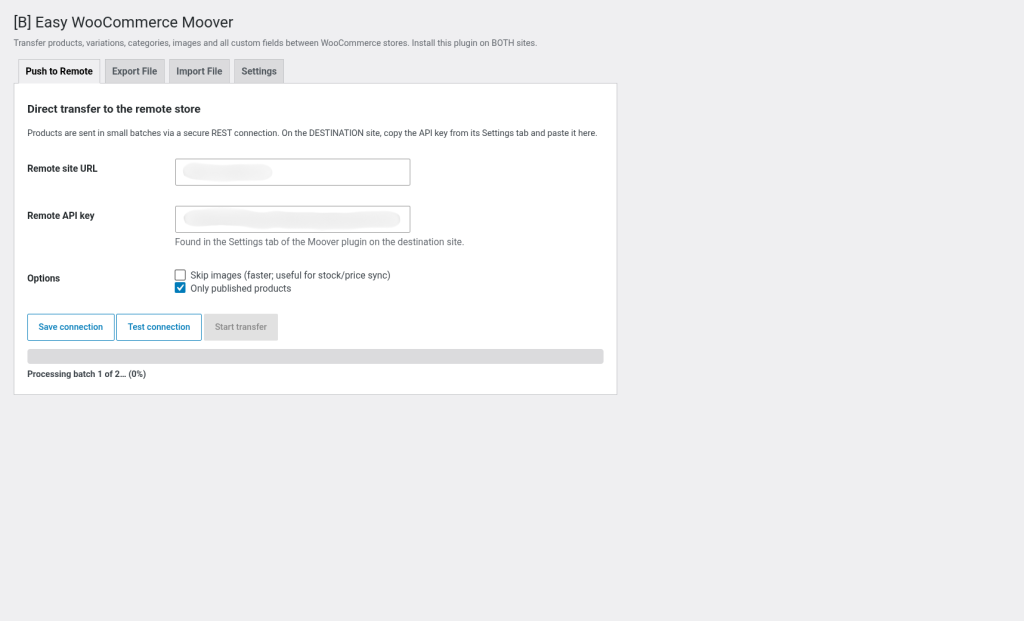
El progreso es visible en tiempo real. Una barra de progreso en vivo te muestra exactamente dónde estás en la transferencia, cuántos productos faltan, y qué errores ocurrieron producto por producto. No hay adivinanzas. Si algo falla, lo sabrás inmediatamente y podrás corregirlo sin reiniciar desde cero.
Soportamos cada tipo de producto WooCommerce: precios, cronogramas de venta, stock, dimensiones de envío, configuración fiscal, visibilidad, notas de compra, archivos descargables, venta individual, atributos por defecto, todo. Las imágenes se descargan automáticamente desde la tienda de origen y se deduplicar por URL. Los vínculos de venta adicional, venta cruzada y productos agrupados se resuelven inteligentemente por SKU al final de la transferencia, para que no importa el orden en que lleguen los datos.
Esto es lo que significa migración profesional: cero fricción, cero pérdida, cero duplicados, cero trabajo manual. Instala el plugin en ambas tiendas, copia una clave API, y deja que [B] Easy WooCommerce Moover haga el trabajo pesado. Tu catálogo llegará intacto, completo y listo para vender.
Move your whole catalogue in minutes, not hours. Your live store does not need to close, and customers notice nothing.
Smart matching by SKU and slug. Run the transfer 10 times if you want: you will never create a duplicated product.
Every image, every meta field, every custom attribute arrives intact. Nothing is lost, nothing is forgotten.
Live progress bar, error log per product, and the ability to pause, resume or retry at any time.
API authentication with a unique key, nonce protection, constant-time comparison. Your data travels safely.
Choose between a direct push (fast, live) or a portable .bdwm file (flexible, offline). Both methods work perfectly.
Move your WooCommerce catalogue to a new server, domain or WordPress installation without losing a single product, image or custom field. Ideal for hosting changes or brand restructuring.
Test changes to your catalogue in a private staging environment, then send only the approved changes to your live store. No downtime, no duplicates, no manual work.
Combine catalogues from several WooCommerce stores into a single central store. The plugin handles duplicates automatically, so you can merge without fear.
Keep your development environment in sync with the live store. Export changes as a .bdwm file, version it in Git and import it into other environments when needed.
Offer fast, reliable migrations to your clients. With the Agency license, you can migrate unlimited sites and resell the plugin as part of your service.
Upload [B] Easy WooCommerce Moover to /wp-content/plugins/ on the source store and on the destination store. Activate it on both. The plugin requires WordPress 6.0+ and PHP 8.1+.
Go to WooCommerce → Moover → Settings on the destination store. Click "Generate API key" and copy it. This key authenticates the connection securely.
Go to WooCommerce → Moover → Push to remote on the source store. Enter the URL of the destination store and paste the API key. Click "Test connection" to check that everything works.
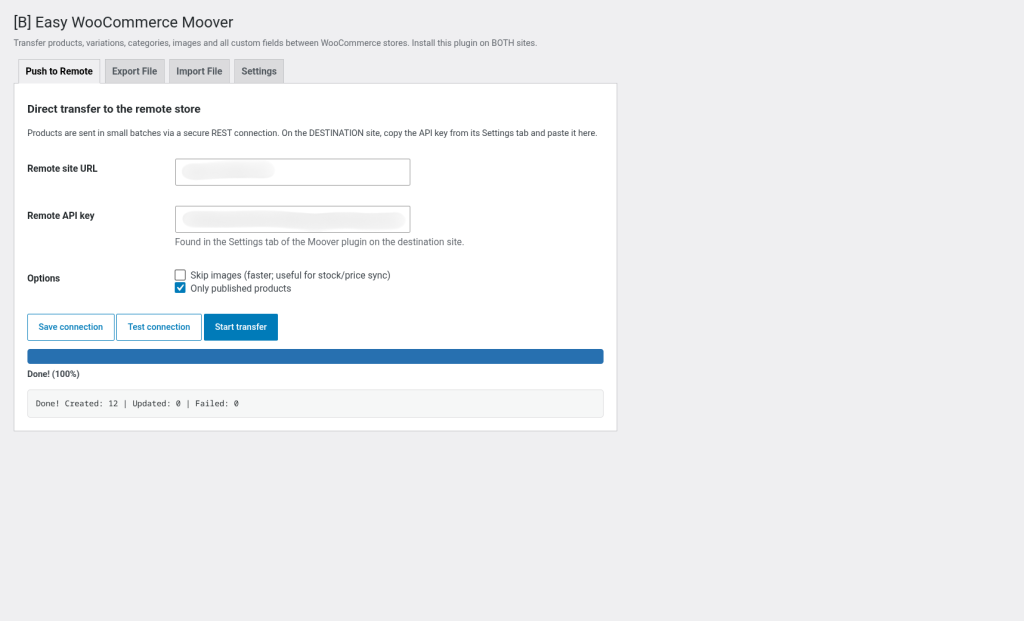
Click "Start transfer". You will see a live progress bar, the number of products completed and any error per product. You can pause, resume or retry at any time.
Once the transfer is complete, review a few products on the destination store. Check prices, images, variations and custom fields. If you need to make changes, you can edit them directly or run the transfer again.
An honest comparison with common alternatives
| Aspect | Easy WooCommerce Moover | Other solutions |
|---|---|---|
| Transfer of complex variations | Automatic matching by SKU and attributes | Manual or very limited |
| Custom fields (post meta) from other plugins | Every meta key is transferred automatically | Only some, requires setup |
| Two transfer methods (API + file) | Direct push or portable .bdwm | Typically only one |
| Idempotence (no duplicates over several runs) | Guaranteed by design | Not always, requires care |
| Detailed error log per product | Yes, visible in real time | Minimal or in files |
| Automatic image deduplication | By URL, no repeated downloads | Typically not included |
| Support and documentation in Spanish | Complete, with examples | Limited or in English |
No. Products are matched first by SKU and then by slug, and updated in place. Running a transfer several times is completely safe: existing products are updated with the new data and duplicates are never created. This is especially useful if you need to sync changes or fix errors without starting again from scratch.
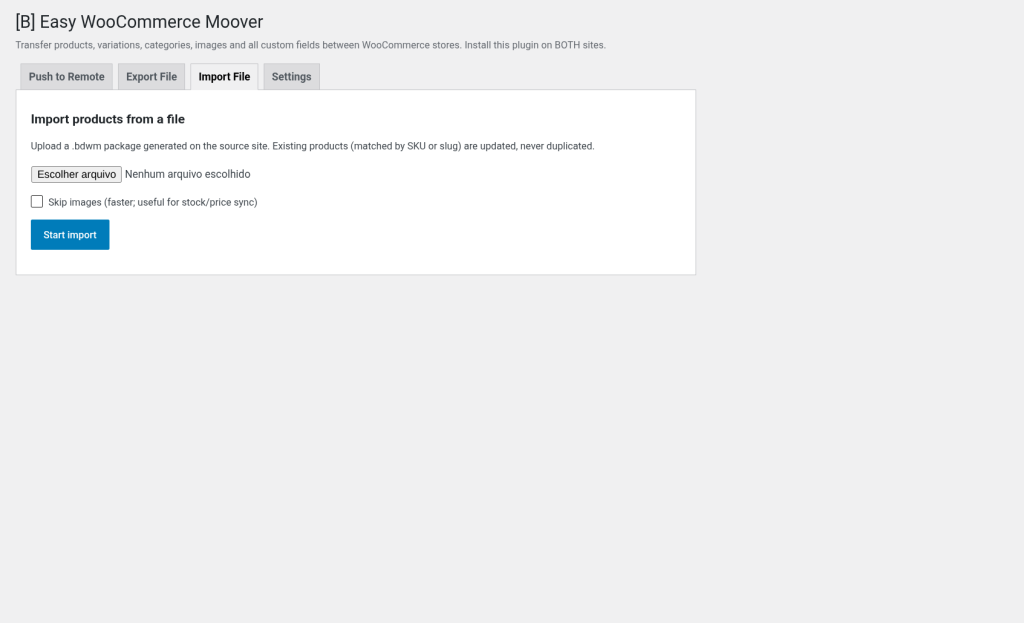
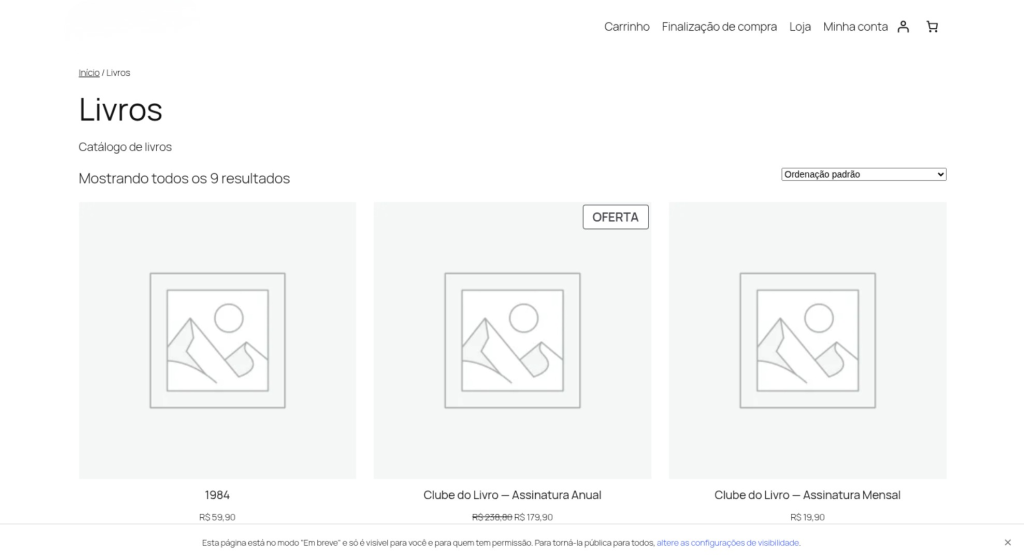
Yes, absolutely. The plugin downloads every image from the source URL and adds it to the media library of the destination store. Images are deduplicated automatically by URL, so a second transfer will not download them again. Note: with the direct push method, the source store must be reachable from the destination server. If it is not (for example, a local staging site), use the .bdwm file method from a reachable source, or run the transfer with the "Skip images" option and download them by hand afterwards.
No. This plugin focuses exclusively on the product catalogue and its taxonomies (categories, tags, attributes). Orders, customer data and coupons are not included in the transfer, as they are usually specific to the site and the business. If you need to migrate customer or order data, consider tools specialised in migrating transactional data.
Yes, completely. The plugin exports and imports all post meta (custom fields), except internal WordPress keys (edit locks, cached IDs, etc.). You can use the `bdw_ewm_excluded_meta_keys` filter to exclude additional keys as needed. This means that fields from plugins such as ACF, Toolset, WooCommerce Subscriptions and many others are transferred automatically with no extra setup.
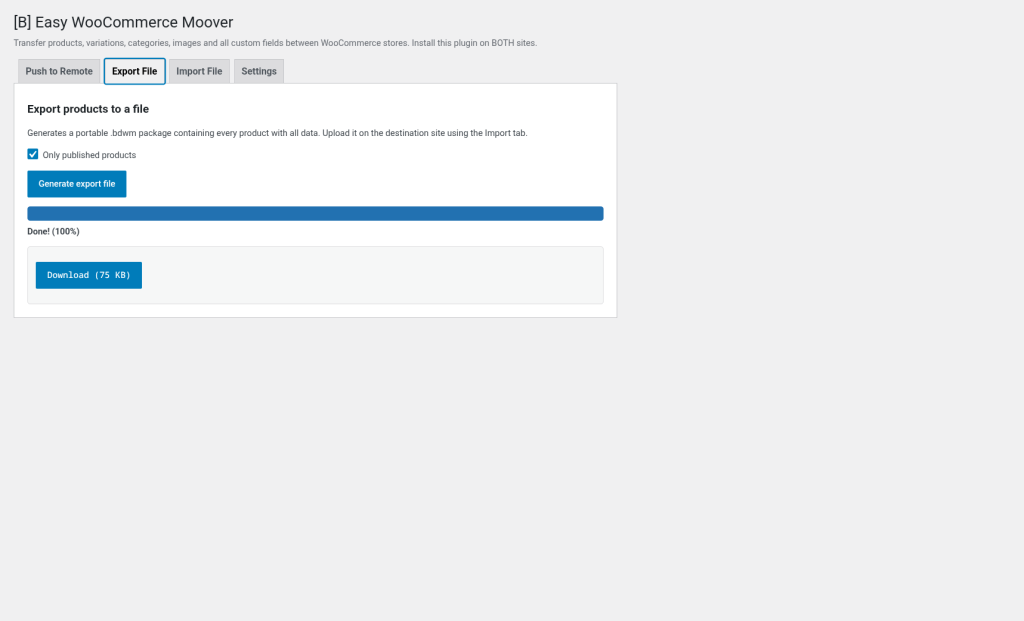
The direct push method (recommended) installs the plugin on both stores, generates an API key on the destination store, and then the source plugin sends the products directly through a secure REST API connection. It is fast, has live progress and does not require downloading or uploading files. The .bdwm file method exports the products to a portable file that you can download, keep and upload to another store at any time. It is ideal if the source store is not publicly reachable (local staging, private server) or if you need a portable backup of your catalogue.
It depends on the number of products, variations and images. The plugin processes batches of 10 products by default to avoid PHP timeouts. A store with 1,000 products typically transfers in 5-15 minutes with the direct push method, depending on the speed of the server and the connection. The .bdwm file method is faster for the export (no live image download), but requires upload time on the destination store. You can pause and resume at any time without losing progress.
The plugin is robust against failures. If a request fails, the specific error is recorded in the product log, and you can retry from the point of failure without losing the previous progress. If you need to start again, simply click "Restart transfer": the products already created are updated with the new data (no duplicates), and the products not yet transferred are created. The detailed log shows you exactly what went wrong with each product, so you can diagnose and fix it quickly.
Yes. Every request is authenticated with a unique API key per site, using constant-time comparison to prevent timing attacks. Admin actions are protected with WordPress nonces and capability checks. No sensitive data is kept in transit beyond what is necessary, and all images are downloaded over standard HTTPS connections. The plugin never exposes the API key in the URL or in public logs. If you use the .bdwm file method, the file is standard JSON that you can inspect, encrypt and store securely.
[ Keep exploring ]
WooCommerce
Keep out-of-stock products visible and capture direct requests
License From €29/year
WooCommerce
Manage thousands of WooCommerce products without timeouts or interruptions
No cost Free
WooCommerce
Excel for WooCommerce. Fast, secure, no size limits.
License From €29/year