Save Hours of Data Entry Every Week
Stop manually typing book details. Fetch complete metadata for hundreds of products in minutes instead of days, freeing your team to focus on sales and marketing.

[ WooCommerce ]
Fetch complete book metadata and covers instantly using ISBN or SKU
Works with WooCommerce
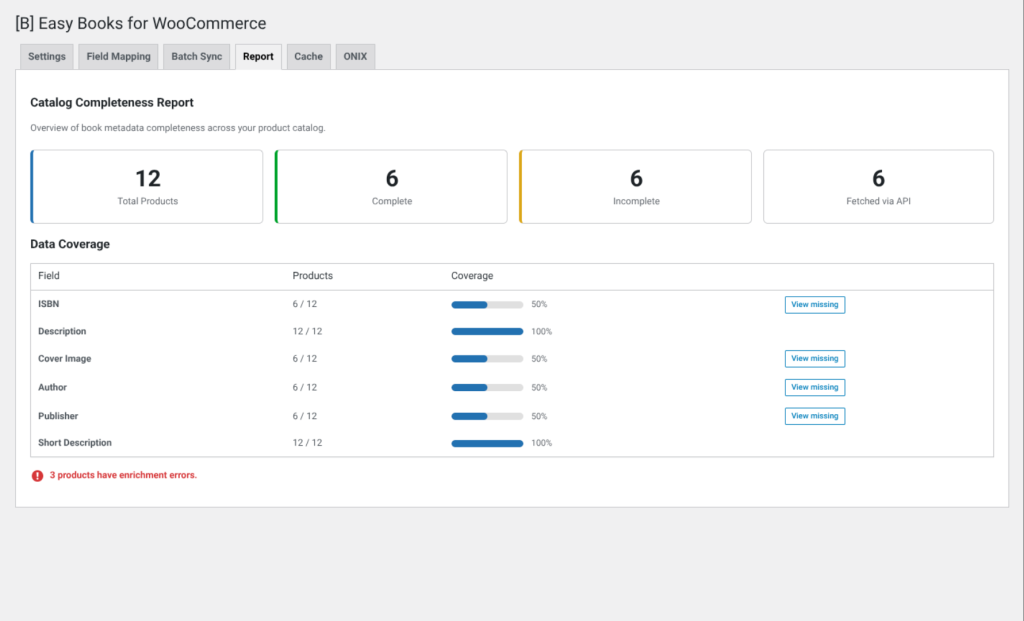
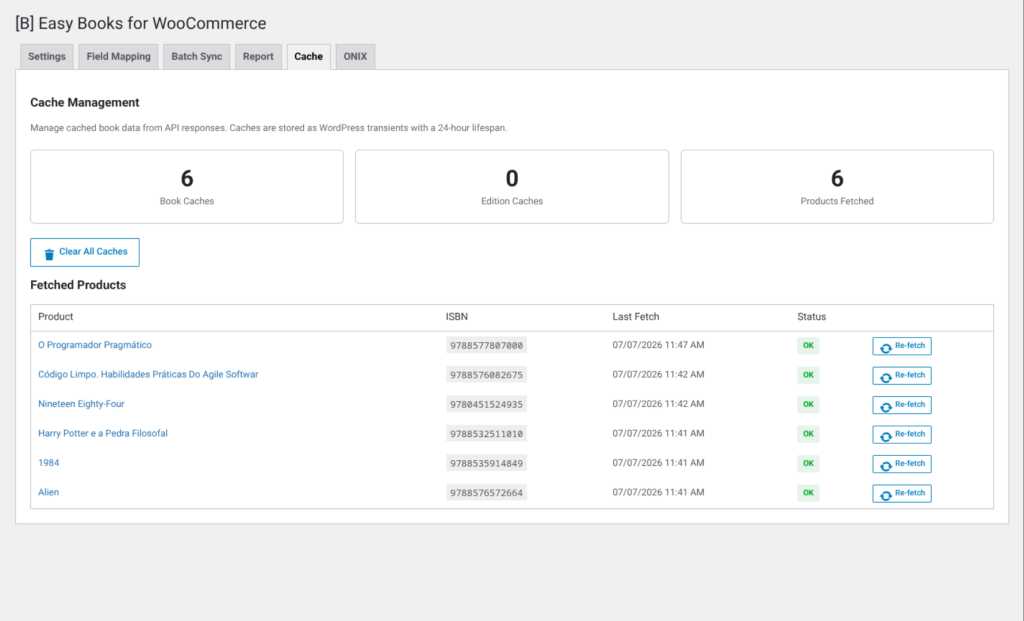
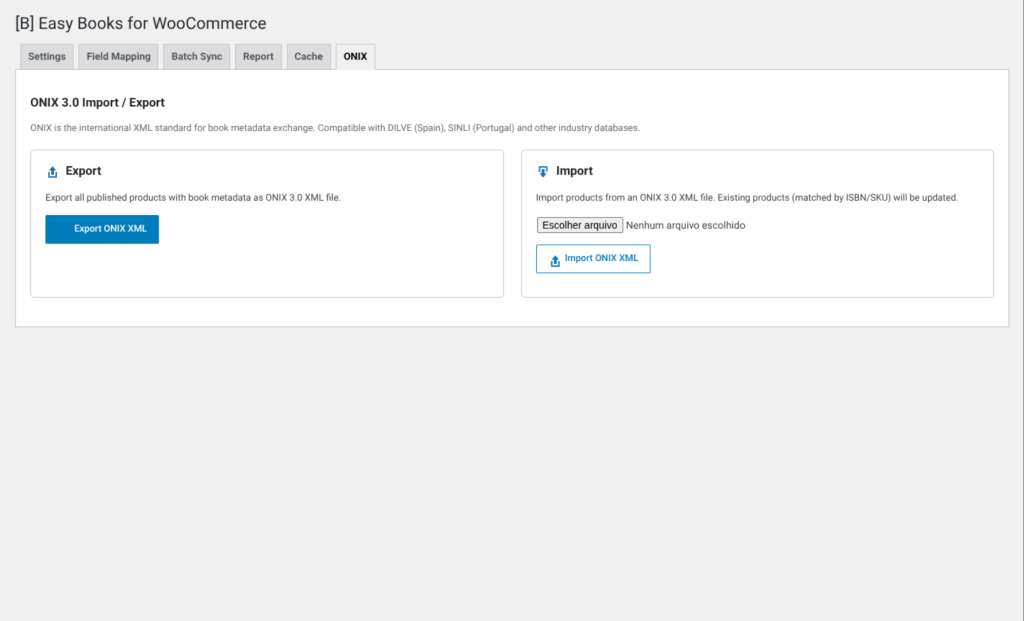
Managing a book store on WooCommerce means wrestling with hundreds of product details: titles, authors, publishers, page counts, cover images, and descriptions. Manually entering this data for every single book is exhausting, error-prone, and pulls your team away from selling. You lose hours to data entry that should be spent on marketing, customer service, and growing revenue. And when you finally do populate a product, the cover image quality is often poor, descriptions are incomplete, and metadata is scattered across custom fields with no consistency.
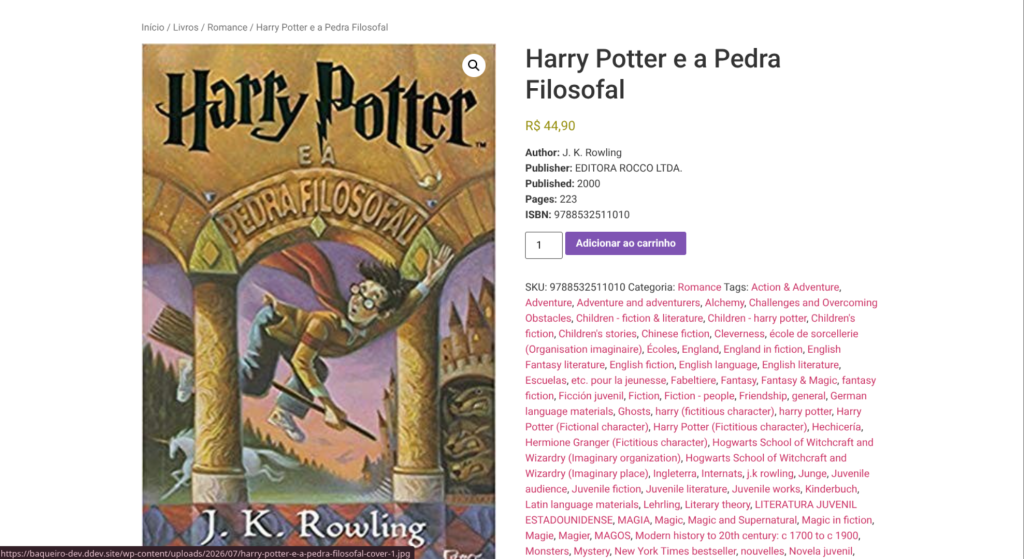
[B] Easy Books for WooCommerce eliminates this friction entirely. With a single ISBN or SKU, the plugin automatically fetches complete book metadata from trusted sources—Google Books and Open Library—and applies it directly to your products. Cover images are downloaded and saved to your WordPress media library, descriptions are populated with real publisher data, and metadata fields are filled with author, publisher, publication date, page count, language, and categories. No manual work. No copy-paste. No guessing.
Whether you run a niche independent bookstore, a university library shop, a used book marketplace, or a large-scale publishing operation, this plugin scales with you. Small shops save hours each week. Large operations with hundreds or thousands of products can batch-sync entire catalogs in minutes using the built-in batch processor. Wholesalers can maintain consistency across multiple product feeds. Publishers can keep product information current without touching WordPress directly. Retailers can offer richer, more professional product pages that convert better and reduce customer support requests about book details.
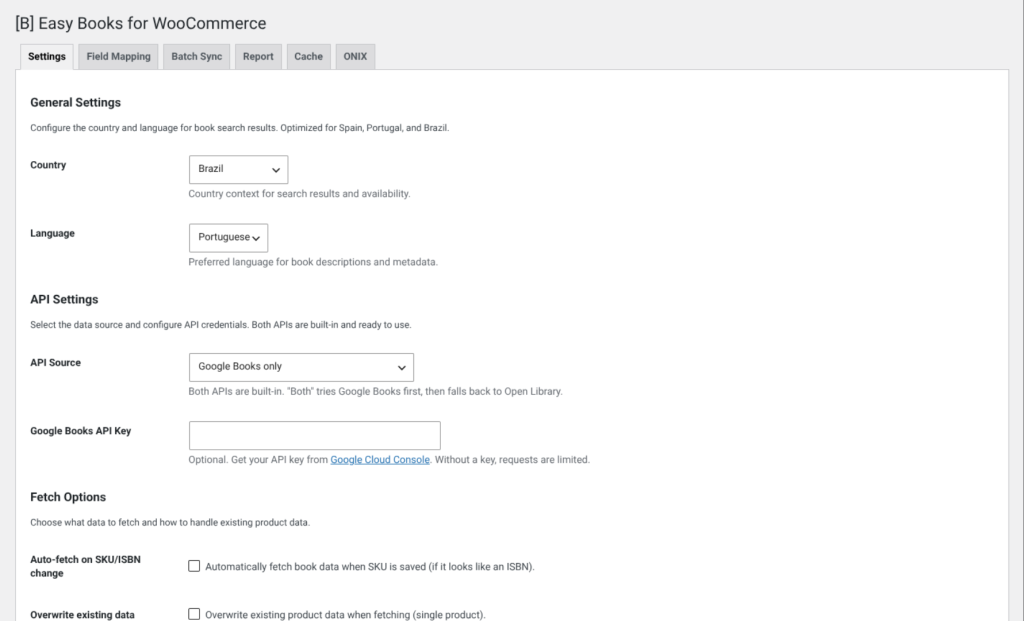
The plugin respects your existing data by default—it won’t overwrite what you’ve already entered—but gives you full control with optional overwrite mode. Preview all fetched data before applying it, choose exactly which fields to update, and configure country and language preferences for localized results. Integrates seamlessly with WooCommerce 7.0+ and WordPress 6.0+, with no coding required. Support for both ISBN-10 and ISBN-13 formats, automatic SKU-to-ISBN detection, and configurable API sources mean it works with your existing workflow, not against it.
Built on proven APIs that have served millions of book lookups, the plugin includes intelligent caching to reduce API calls, respect rate limits, and keep your site fast. Optional Google Books API key support for higher request limits when you need it. Open Library requires no key at all—completely free to use. Whether you’re syncing one book or one thousand, the plugin handles it reliably with transparent error reporting and detailed logs so you always know what happened.
Stop losing time to data entry. Stop settling for incomplete product pages. Stop watching your competitors offer better book information while you’re stuck manually typing metadata. [B] Easy Books for WooCommerce turns ISBN into rich, conversion-ready product pages in seconds. Your team stays focused on business. Your customers see professional, complete product information. Your bottom line grows.
Stop manually typing book details. Fetch complete metadata for hundreds of products in minutes instead of days, freeing your team to focus on sales and marketing.
High-quality cover images, complete descriptions, and rich metadata create polished product pages that build customer confidence and reduce support questions about book details.
Eliminate typos, missing information, and inconsistent formatting. API-sourced data is standardized and accurate, giving your store a professional appearance and improving search visibility.
Whether you manage 10 products or 10,000, the plugin scales effortlessly. Batch processing and automation mean you can expand your catalog without hiring additional staff for data entry.
Preview all data before applying, keep existing information by default, and get detailed logs of every change. You stay in control while automation handles the repetitive work.
Rich product metadata improves search rankings and helps customers find exactly what they're looking for. Complete book information reduces returns and boosts customer satisfaction.
Small to medium bookstores can populate their entire catalog with professional product pages in hours instead of weeks, compete with larger retailers on presentation, and focus on curation and customer service instead of data entry.
Educational institutions can automatically sync textbooks and course materials, keep inventory current without manual updates, and provide students with complete book information for informed purchasing decisions.
Dealers in used, antique, and rare books can quickly verify ISBN matches, populate historical data and publication information, and add professional cover images to boost buyer confidence in secondhand purchases.
Wholesalers and distributors can maintain consistent product information across multiple retail channels, sync updates from publisher data sources, and scale to thousands of titles without proportional staff increases.
Book subscription services can automatically populate monthly selections with rich metadata, create compelling product descriptions for marketing, and reduce the manual work of managing rotating inventory.
Upload [B] Easy Books for WooCommerce via Plugins → Add New, then activate it. The plugin requires WooCommerce to be active. No configuration needed to get started.
Go to WooCommerce → Easy Books Settings to optionally add your Google Books API key, choose your preferred API source (Google Books or Open Library), and set country/language preferences for localized results.
Edit any WooCommerce product and use the [B] Easy Books meta box. Enter an ISBN or SKU, click "Fetch Data," and preview the results. Select which fields to apply and save.
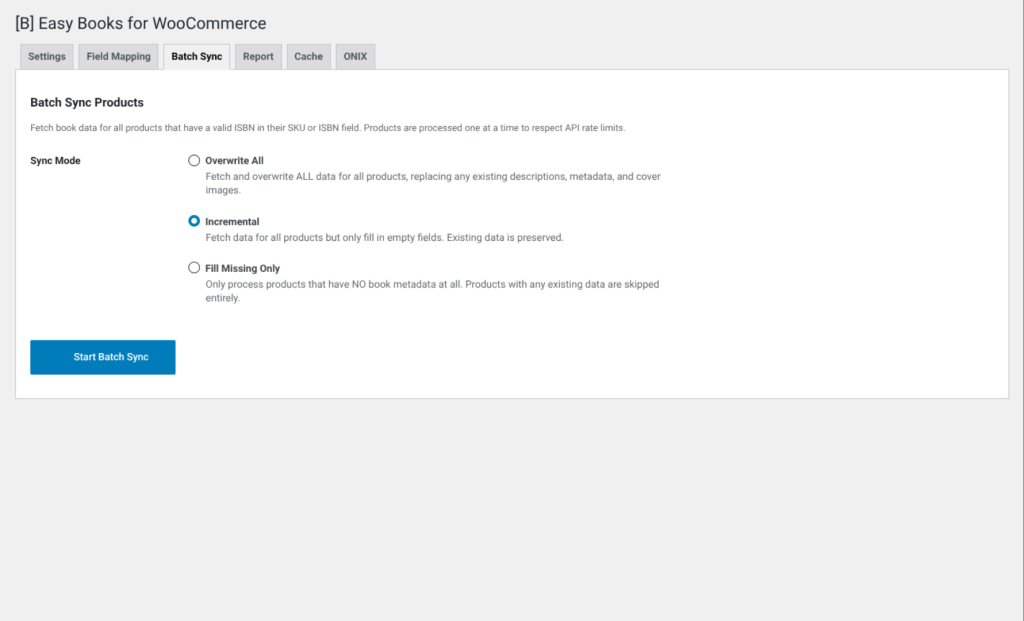
For larger catalogs, use the batch processor to sync multiple products at once. Go to WooCommerce → Easy Books Batch Sync, choose your sync mode, and let the plugin handle the rest while you monitor progress.
See how we compare to manual entry, generic plugins, and other solutions
| Aspect | Easy Books for WooCommerce | Other solutions |
|---|---|---|
| Automatic cover image download to media library | Native integration, saves bandwidth | Manual upload or external CDN required |
| Support for multiple API sources | Google Books + Open Library (no key required) | Single API or requires external service |
| Batch processing for hundreds of products | Built-in batch sync with progress tracking | Manual one-by-one or not available |
| Data preview before applying changes | Full preview with granular field selection | Apply first, edit later |
| Respects existing product data | Non-destructive by default, optional overwrite | Often overwrites everything |
| 24-hour API response caching | Reduces API calls and improves speed | No caching or limited caching |
| Dedicated support and active maintenance | Email and chat support, regular updates | Community support or abandoned |
No, the plugin works without one. However, Google Books API has request limits without a key. We recommend obtaining a free API key from the Google Cloud Console if you plan to sync more than a few products per day. Open Library requires no key at all and has generous rate limits for free use.
Both ISBN-10 and ISBN-13 are fully supported. The plugin automatically removes hyphens, spaces, and other formatting characters, so you can enter ISBNs in any standard format and the plugin will normalize them correctly.
Yes! If you store the ISBN in the product SKU field, the plugin will automatically detect it and use it for lookups. Enable "Auto-fetch mode" in settings to have the plugin detect ISBN patterns in SKU fields and fetch data automatically when products are created or updated.
By default, no. The plugin is designed to respect data you've already entered. It will only add missing information. However, you can enable "Overwrite mode" in the settings or per-product to replace existing descriptions, covers, or metadata if you want to update everything from the API sources.
The plugin extracts and stores author, publisher, publication date, page count, language, and categories as WooCommerce product custom meta fields. These are stored in the wp_postmeta table and can be displayed on your product pages using standard WooCommerce product data fields or custom templates.
The batch processor allows you to sync multiple products at once without manually editing each one. You can choose to sync all products with SKUs matching ISBN patterns, or only products missing certain metadata. The processor runs in the background via AJAX and shows real-time progress so you can monitor the sync without leaving the page.
The plugin will clearly report that no match was found and won't modify your product. You'll see detailed error messages explaining why the lookup failed—invalid ISBN, book not in database, API timeout, etc. You can then manually enter data, try a different ISBN, or skip that product.
Absolutely. The plugin includes a comprehensive preview mode that shows you exactly what will be added to your product before you commit. You can see the cover image, description, author, publisher, and all metadata fields. This gives you full confidence that the right data is being applied.
Yes. By default, the plugin caches API responses for 24 hours using WordPress transients. This means if you look up the same ISBN multiple times, only the first lookup hits the API. Subsequent lookups use the cached data, which is faster and respects API rate limits. You can clear the cache manually in settings if needed.
Yes, [B] Easy Books for WooCommerce is fully compatible with WordPress Multisite. Each site can have its own settings, API keys, and product data. The Professional and Agency tiers support multiple site licenses.
The plugin requires WordPress 6.0 or later and PHP 8.1 or higher. It's tested with WooCommerce 7.0 through 9.0 and WordPress up to 6.7. Older versions are not supported due to security and compatibility requirements.
Yes. In the product editor, you have granular control over which fields to update. You can choose to apply just the cover image, just the description, just the metadata, or any combination. This flexibility lets you use the plugin exactly as you need it without forcing unwanted changes.
[ Keep exploring ]
WooCommerce
Keep out-of-stock products visible and capture direct requests
License From €29/year
WooCommerce
Manage thousands of WooCommerce products without timeouts or interruptions
No cost Free
WooCommerce
Excel for WooCommerce. Fast, secure, no size limits.
License From €29/year